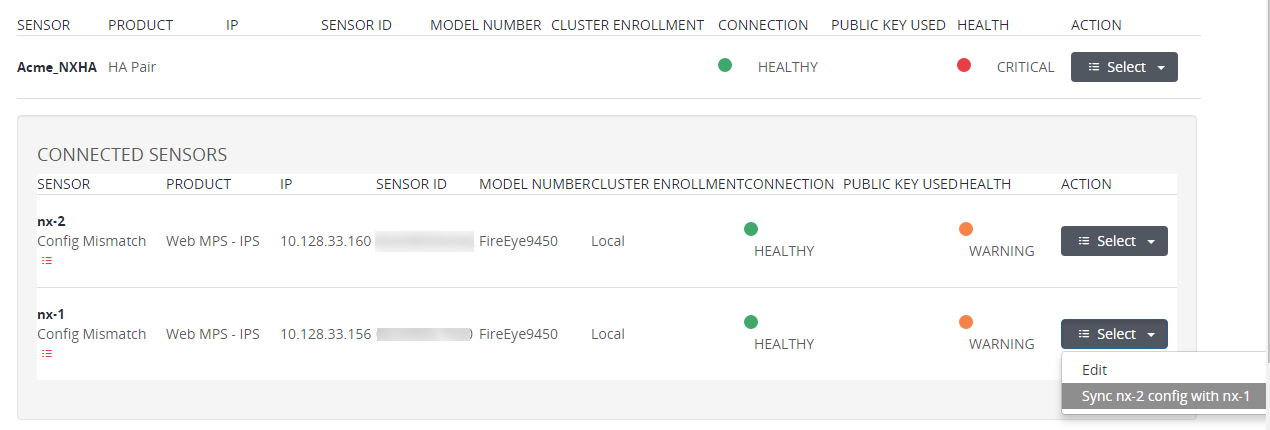
Use the Appliances > Sensors page to synchronize configuration settings from one appliance in an HA pair to the peer appliance.
Note
All mismatched settings are synchronized with the source appliance at the same time. If necessary, you can manually adjust individual settings later.
To synchronize the configuration:
Log in to the Central Management System Web UI.
Select Appliances > Sensors.
Click the pair name in the Sensor column to expand the HA pair.
In the Action column, click Select and then select one of the Sync config with links, depending on which settings you want to keep. For example, click Sync nx-1 config with nx-2 if you want the nx-2 settings to be used for both appliances in the pair.