The Description tab provides additional information about an attack. It also displays the signature descriptions, reference information.
Do the following steps to view the description of an attack.
Task
- On the Attack Definitions tab, double-click on the row of the attack that you want to view the attack description.
-
Click the
Description tab in the right panel.
Description tab 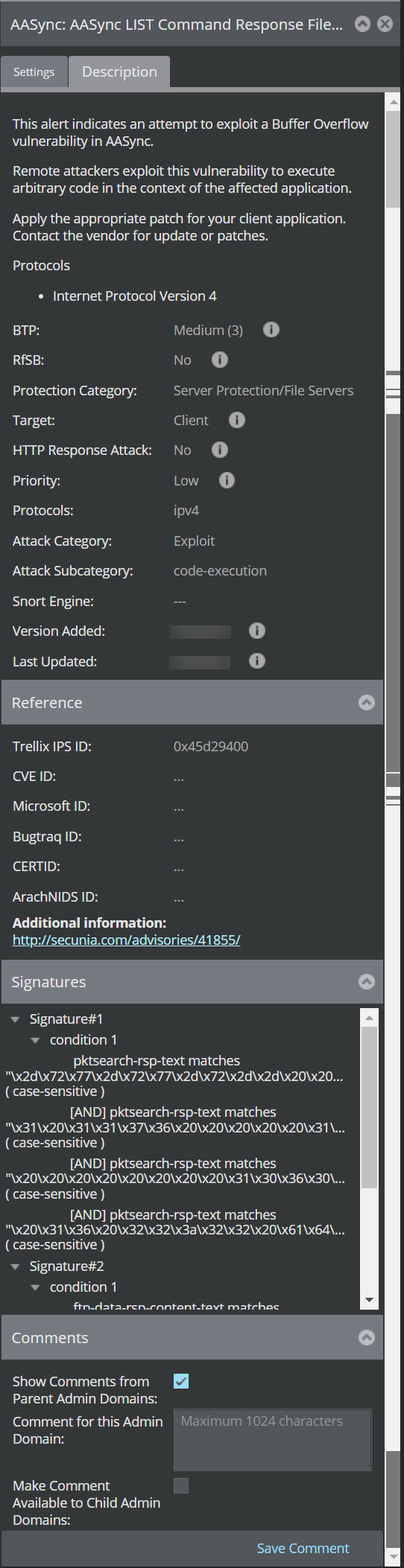
Results
- BTP
- RfSB
- Protection Category
- Target
- HTTP Response Attack
- Protocols
- Attack Category
- Attack Subcategory
- Snort Engine
- Version Updated
- Last Updated
The Reference section displays the following details:
- Trellix IPS ID
- CVE ID - click the hyper-link to view details
- Microsoft ID
- Bugtraq ID
- CERT ID
- ArachNIDS ID
- Link for Additional Information, if any.
The Signatures section displays the list of attack signatures.
In the Comments section, you have an option to add comments in the text field Comment for this Admin Domain and click Save Comment to save the comment.
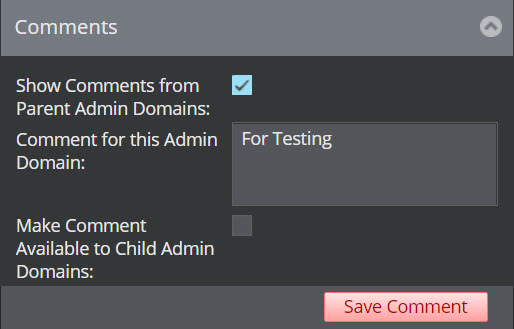
To display the comments from the parent admin domain, select the checkbox Show Comments from Parent Admin Domains.
To make the comments to be displayed in the child admin domain, select the check-box Make Comment Available to Child Admin Domains.