You can view the Vulnerability Manager configuration details in Manager. To do so, perform the following steps.
Select Manager → <Admin Domain Name> → Integration → Vulnerability Assessment → MVM → Vulnerability Scanning → Summary to perform this action from root or child admin domains. The Summary page appears.
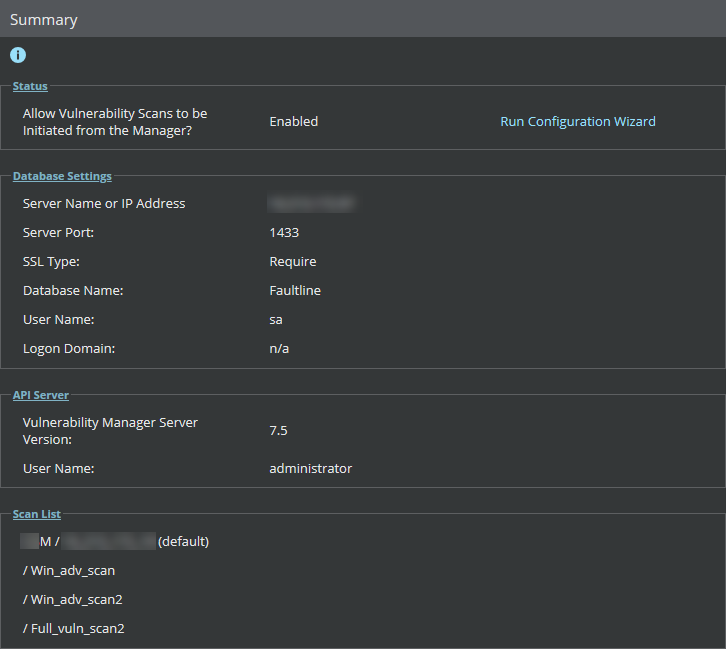
This page shows the details of Vulnerability Manager configuration, such as status of Vulnerability Manager scan enabled/disabled, database settings, Vulnerability Manager Server settings, and list of scan configurations added to the Manager.
Note that the changes saved in all the pages related to Vulnerability Manager configuration are reflected in the Summary page. When you click on the individual links, you are re-directed to the respective pages.
You can also configure Vulnerability Manager settings using Run Configuration Wizard in Summary page.