The NS9500, NS7500, and NS3500 Sensors require a software license to activate the baseline throughput of 10 Gbps on NS9500 Sensors, 3 Gbps on NS7500, and 750 Mbps on NS3500 Sensors.
The license is provided as a .zip or .jar file (for example, CapacityLicense3Gig.jar for a new license and CapacityLicense3to5.jar for an upgrade license). The Manager supports both the formats. The license procured contains the details of the Sensor's throughput. The Manager checks the compliance periodically to check the number of licenses against the Sensor's throughput.
Note
You must first purchase a license to enable traffic inspection in NS9500, NS7500, and NS3500 Sensors. To obtain a license, contact Trellix Sales.
In case of the NS9500 standalone and stack, and NS7500 Sensors, an additional license or upgrade license is required to increase the throughput of the Sensor. Various throughputs available are as follows:
Sensor | Existing license | Additional license | Upgrade license |
|---|---|---|---|
NS9500 standalone
| 10 Gbps |
|
Standalone to stack:
|
20 Gbps | 30 Gbps |
Standalone to stack:
| |
30 Gbps | NA | Standalone to stack:
| |
NS9500 stack | 40 Gbps |
|
|
60 Gbps | 100 Gbps | 60 to 100 Gbps | |
NS7500 | 3 Gbps |
|
|
5 Gbps | 7.5 Gbps | 5 to 7.5 Gbps |
You can upload the license from the Licenses page in the Manager. In the Manager, select Manager → <Admin Domain Name> → Setup → Licenses.
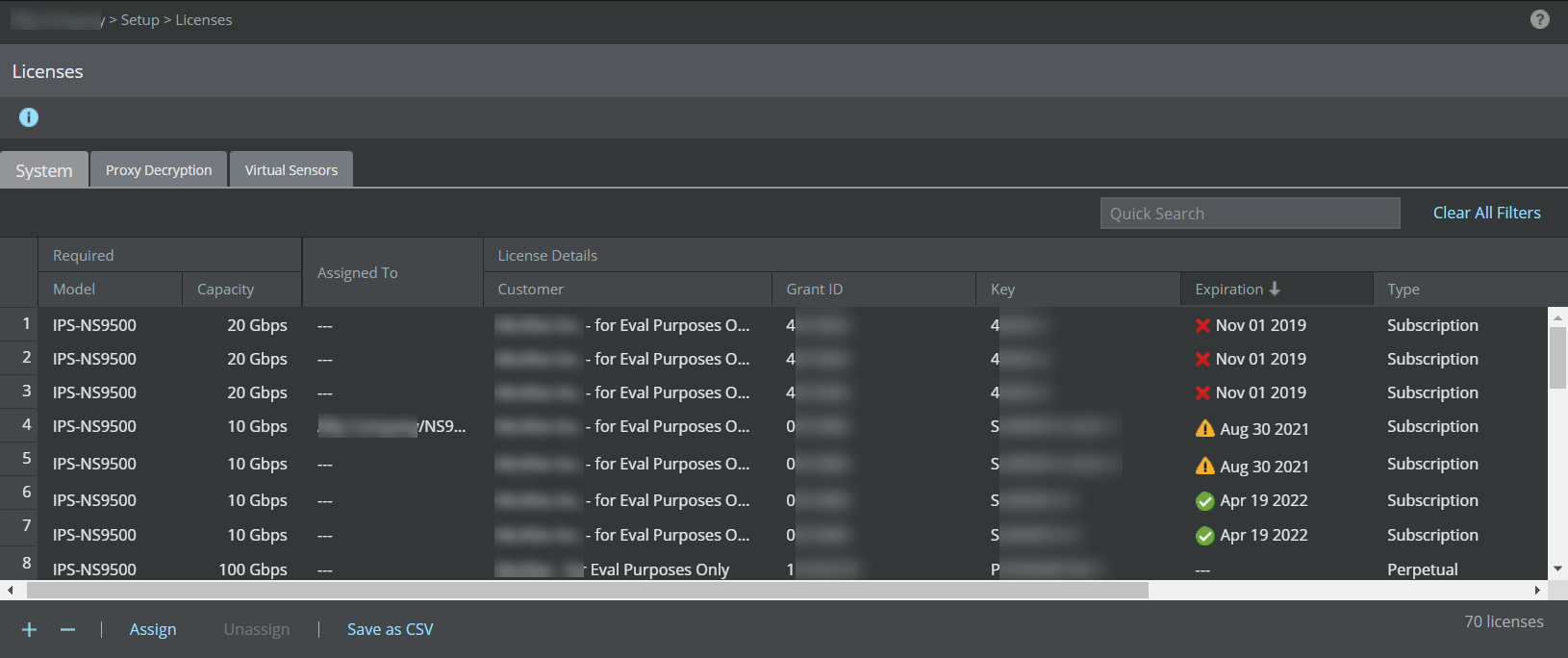
The following details are displayed on the System tab:
Option | Definition |
|---|---|
Required | Model – Sensor model compatible with the license Capacity – Throughput limit for the license |
Assigned To | Name of the Sensor assigned to the license |
License Details | Customer – Customer for whom the license file was generated Grant ID – Trellix Grant ID of the corresponding customer Key – License key number of the customer Expiration – Applicable only for demo and subscription licenses
Type – Displays if the license is Perpetual, Subscription, or Evaluation (Demo) type
|
Added | Time – Date in <mm-dd-yy> format, and time when the license was added By – Name of the user who added the license |
Comments | Enables you to add your comment per license file that is imported. Double-click in the Comment field and enter your comment. Click outside this field and your comment is automatically saved. |
 : Valid license
  : Expired license
  : Expired license running on grace period
 The following actions can be performed on the System tab: