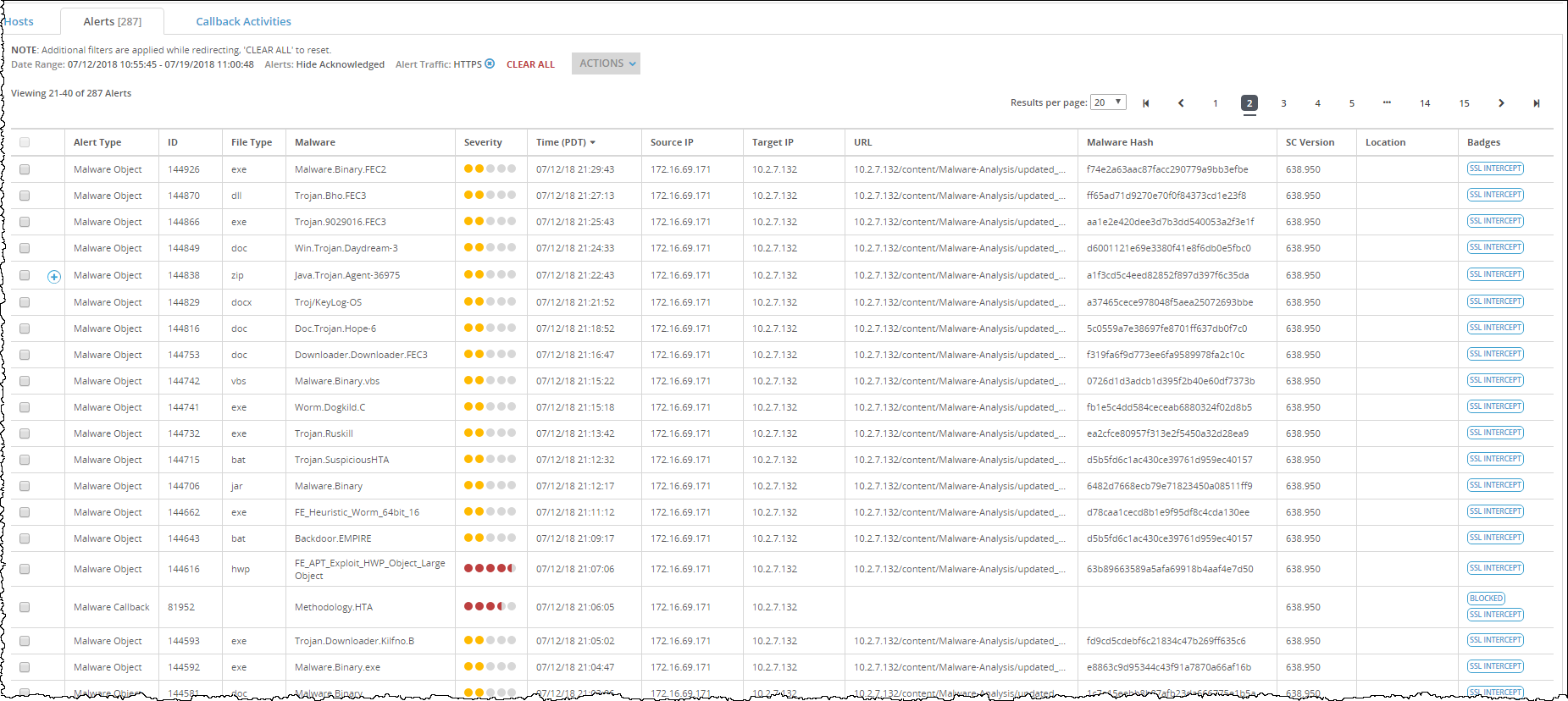
In the Alerts > Alerts > Alerts page of a Network Security appliance, you can drill down to identify the matched HTTPS alerts based on SSL interception that are detected as malicious for a malware event, grouped by alert. The total number of HTTPS alert entries detected by the MVX engine are categorized and tracked on the Alerts > Alerts > Alerts page. The Network Security appliance supports two types of generated HTTPS alerts for SSL interception—infection matches and malware objects.
The following example displays HTTPS alert entries based on SSL interception in the Alerts > Alerts > Alerts page. The default display lists entries in reverse chronological order and shows 20 results per page.
Prerequisites
Administrator, Monitor, or Analyst access to the Network Security appliance
Verify that the operational mode for inline deployment on a network port pair is configured by using the
show policymgr interfacescommand. For details about how to configure inline operational modes, see Configuring inline operational modes.You have imported the public and private keys for a trusted SSL interception CA certificate and an untrusted SSL interception CA certificate. For details about how to import the SSL CA certificate, see Importing an SSL CA certificate using the Web UI or Importing an SSL interception CA certificate using the CLI.
You have exported the public key issuer certificate that is trusted by a trusted public CA or that acts as an untrusted certificate. For details about how to export the public key for an SSL CA certificate, see Exporting an SSL CA certificate using the Web UI.
You have configured the inbound and outbound SSL interception connections that are part of the advanced SSL settings. For details about how to configure the advanced SSL settings, see Configuring advanced SSL settings for SSL interception using the Web UI or Configuring advanced SSL settings for SSL interception using the CLI .
(Optional) Download and install the latest URL categories from the third-party URL categorization database. For details about how to configure automatic URL category updates, see Configuring automatic URL category updates Using the CLI on page 1. For details about how to force immediate URL category updates, see Forcing immediate URL category updates using the CLI .
(Optional) Add a domain to the built-in custom whitelist category. For details about how to add a domain to the built-in custom whitelist category, see Adding or deleting domains to the built-in custom whitelist category using the Web UI.
If you want to add a domain to the built-in custom whitelist exception category, see Adding or deleting domains to the built-in custom whitelist exception category using the Web UI.
Verify that SSL interception has been enabled on at least one network port pair. Use the
show policymgr ssl-interceptcommand. The "ssl intercept enable" line displays "yes" if SSL interception is enabled on each port pair.